Heatmaps for WordPress & Any Website

See Where Visitors Click, Scroll and Engage

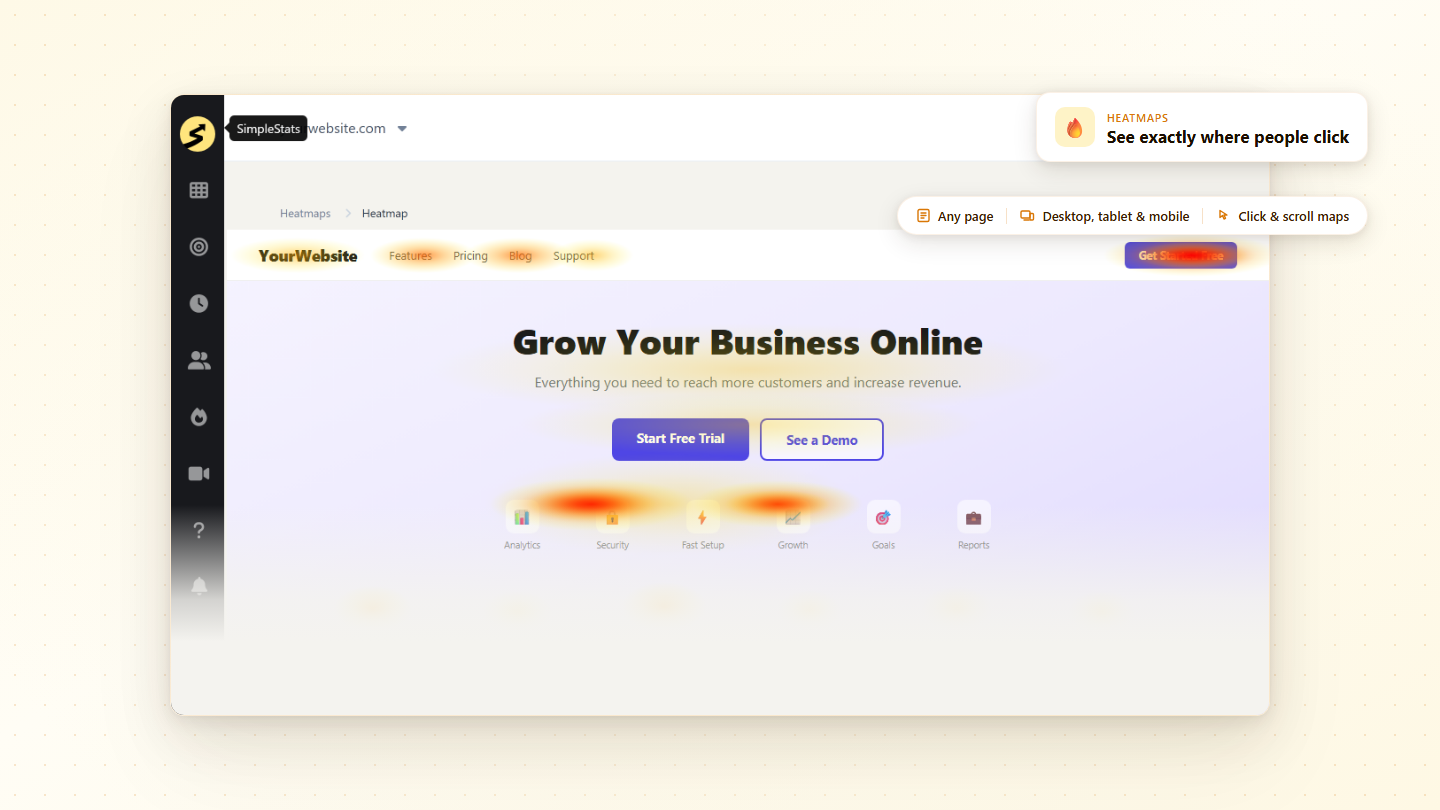
Heatmaps give you a visual map of every click, scroll, and zone your visitors interact with. No data scientist needed - just open the heatmap, see the problem, fix it.

Crazy Easy
Setup

Click Heatmaps

Scroll Depth Maps

Mobile, Tablet & Desktop

Total Clicks per Page

Works on Any Website

Filter by Device

Finally, Heatmaps for Every Website - Visual, Simple, and Ready in Minutes

SimpleStats makes understanding visitor behavior effortless. Here are the features that make SimpleStats the simplest way to see what people actually do on your pages.

Click Heatmaps

See exactly where visitors click across any page - buttons, links, images, and blank areas. Know what draws attention and what gets ignored.

Scroll Depth Maps

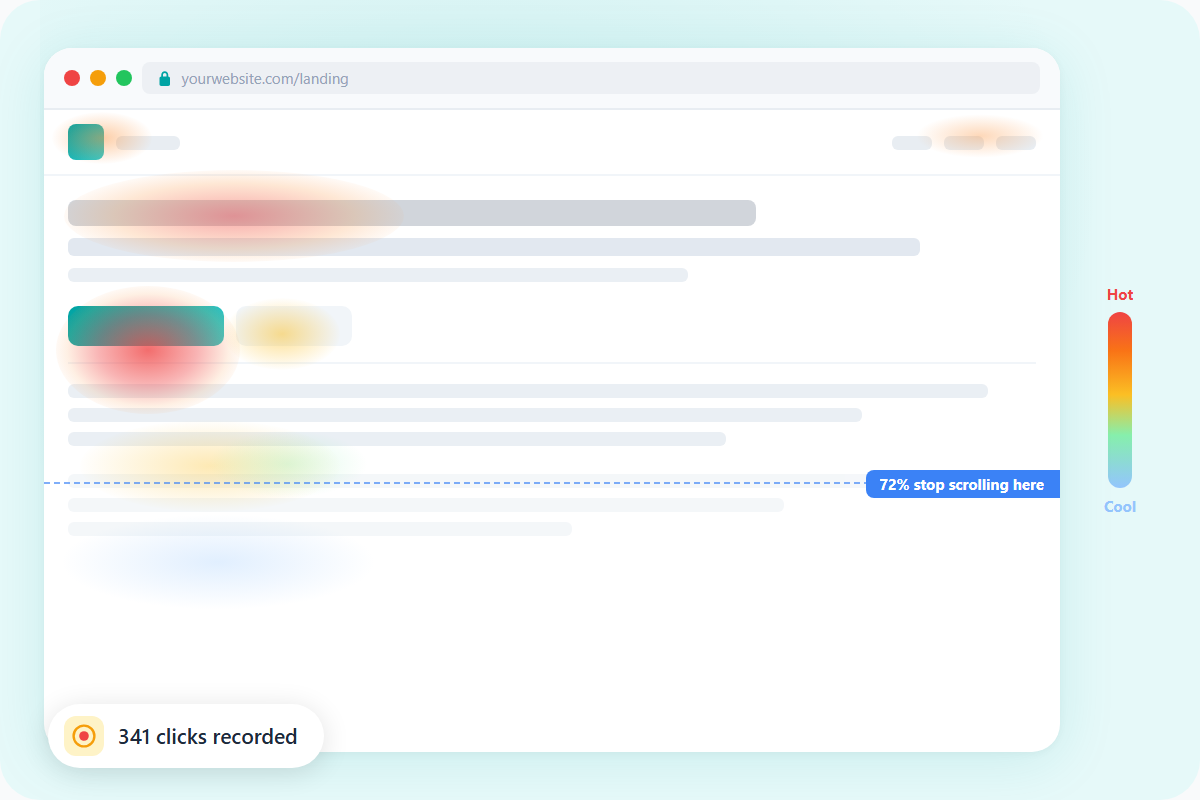
Find out how far down your pages visitors actually scroll. Know where they stop reading so you can move your most important content to where people actually look.

Mobile, Tablet & Desktop Views

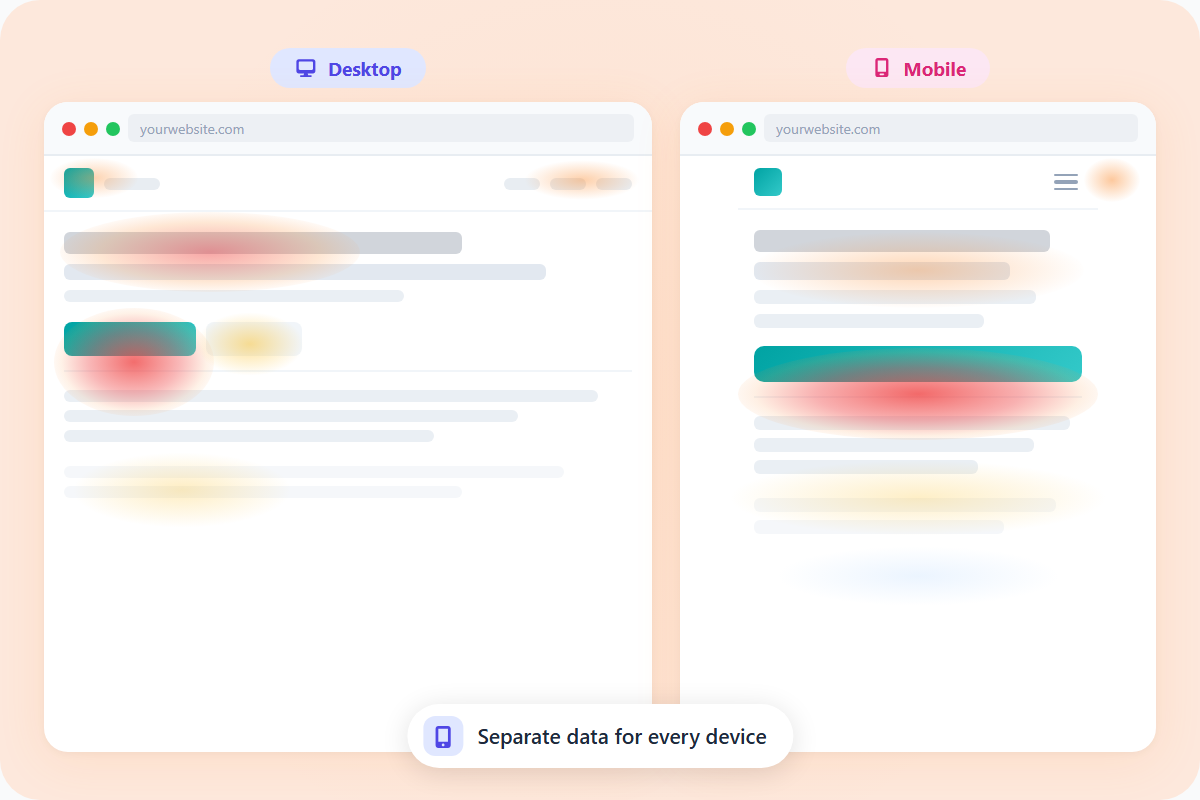
See separate heatmaps for each device type. The experience on a phone is completely different from a laptop - now you can see both and fix each one.

Total Clicks per Page

See the total number of clicks recorded on each tracked page at a glance - alongside your heatmap, so you always have context for what you're looking at.

Filter by Device

Switch between desktop, tablet, and mobile views of the same heatmap. Visitor behavior varies by device - now you can see exactly how.

Choose Which Pages to Track

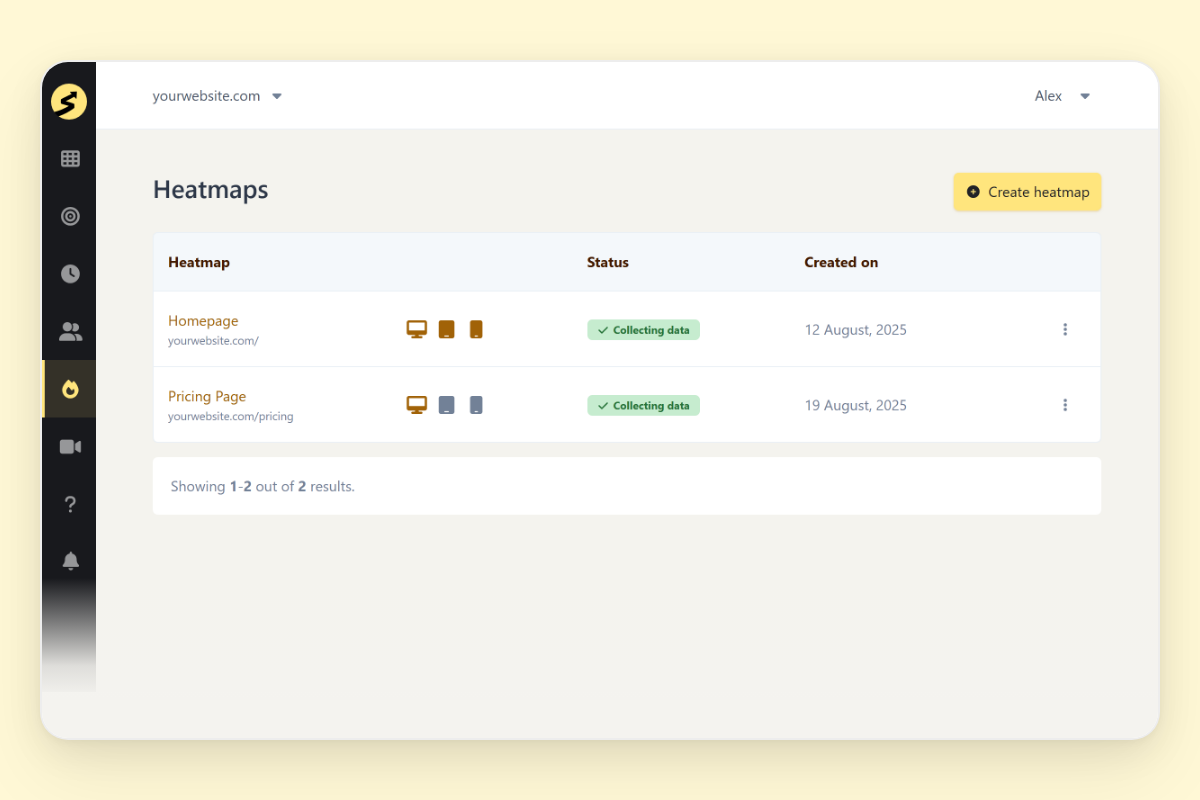
Decide exactly which pages get heatmap tracking. Focus on the pages that matter most - landing pages, product pages, key blog posts - without tracking everything.

Works on Any Website

One snippet, any platform. Heatmaps work on WordPress, Shopify, Squarespace, or any custom-built site - no developer required.

Session Replays

Watch full visitor recordings to complement your heatmaps. See the click map to spot the pattern, then watch a session to understand why it happens.

One Dashboard, All Your Sites

Pull up heatmaps for any site in your portfolio from one login. No switching accounts, no separate tools, no extra subscriptions.

Top 3 Reasons Why Users SimpleStats for Heatmapping

See why hundreds of smart site owners are switching to SimpleStats to grow their websites.

Instantly Spot What's Working - and What Isn't

Your analytics tell you people are leaving. They don't tell you why. A bounce rate is a number - a heatmap is a picture. You open it and you see exactly where visitors are engaging, how far they scroll, and which parts of the page nobody is reaching.

That clarity changes how you work. Instead of guessing what to fix, you see it. Move the CTA up, shorten the page, test a different headline - and know exactly why you made the change.

Choose a Page. Add a Heatmap. Done.

Most heatmap tools come with dashboards full of settings, reports, and features you'll spend weeks learning and never fully use. By the time you've figured out the tool, you've lost the momentum to actually fix anything.

With SimpleStats you pick the page you want to understand, turn on the heatmap, and start seeing data. No developer, no configuration, no onboarding call. Just choose a page, add a heatmap, and open it when you're ready to see where people actually go.

Works on Every Screen - Without Slowing Yours Down

Your visitors aren't all on the same device. What looks fine on a laptop can be a completely different experience on a phone - different scroll behavior, different click patterns, different drop-off points. If you're only looking at one device, you're only solving half the problem.

SimpleStats captures heatmap data for desktop, tablet, and mobile separately, and its tracking script is lightweight enough that it won't add any noticeable load to your pages. Switch device views in one click and fix the experience for everyone.

Questions? We've Got Answers.

See the list below for our most frequently asked questions. If your question is not listed here, then please contact us.

What do heatmaps track?SimpleStats heatmaps show you where visitors click and how far they scroll - all in one visual overlay on your actual page. Hot zones where most people interact, cold zones where they don't. You also see the total clicks recorded on the page.

Do heatmaps require any code or developer setup?No. If SimpleStats is already installed on your site - either via the WordPress plugin or the universal snippet - heatmaps work from your dashboard with one click. No extra code, no separate script to add.

Can I see heatmaps for mobile visitors separately?Yes. SimpleStats shows separate heatmaps for desktop, tablet, and mobile. You can switch between device views for any tracked page and see exactly how behavior differs across devices.

Can I choose which pages to track?Yes. You decide which pages get heatmap tracking. You're not locked into tracking everything - just add the pages that matter most to you.