![Tutorial banner with a dashboard illustration and a target on an orange background; title reads 'How to Set Up Goal Tracking in WordPress (No Code Required)'.] ,](https://simplestats.com/wp-content/uploads/2026/07/wordpress-conversion-tracking-1.png "wordpress-conversion-tracking-1 - SimpleStats.com")

If your website has a contact form, a newsletter signup, or anything to sell, “how many people visited” is only half the story. The number that actually matters is how many of those visitors did the thing you wanted them to do.
Google Analytics used to make this simple. Under the old Universal Analytics (GA3), you picked a destination page or an event, and that was your goal. GA4 replaced that with a “key events” system buried a few menus deep, and a lot of site owners never bother setting it up at all.
This guide shows you how to set up conversion goals in WordPress the simple way, starting with the no-code method that covers most sites, then the code-based option for everything a page URL can’t catch.
In This Article:
What Counts as a Goal on Your Site
A goal is any action that means a visitor did what you wanted. Common examples:
- Landing on a “thank you” page after a signup or purchase
- Reaching an order confirmation page
- Submitting a form that redirects to a confirmation page
The easiest goal to set up, and the one this guide walks through, is a Destination goal: you pick a URL that only exists once someone has converted, like a thank-you or confirmation page, and every visit to that page counts as one conversion, no code required.
If you need to track something that doesn’t land on its own page, like a button click or a form that submits without a redirect, SimpleStats also has an Event goal type for that. It needs a small snippet added to your site, this guide starts with the no-code Destination method since it covers most of what site owners need, then shows you how to set up an Event goal further down.
How to Set Up a Goal in SimpleStats
If you don’t have analytics running yet, install the SimpleStats WordPress plugin first, it takes about two minutes and needs no code. Once your site is connected, setting up a goal takes just a few clicks.
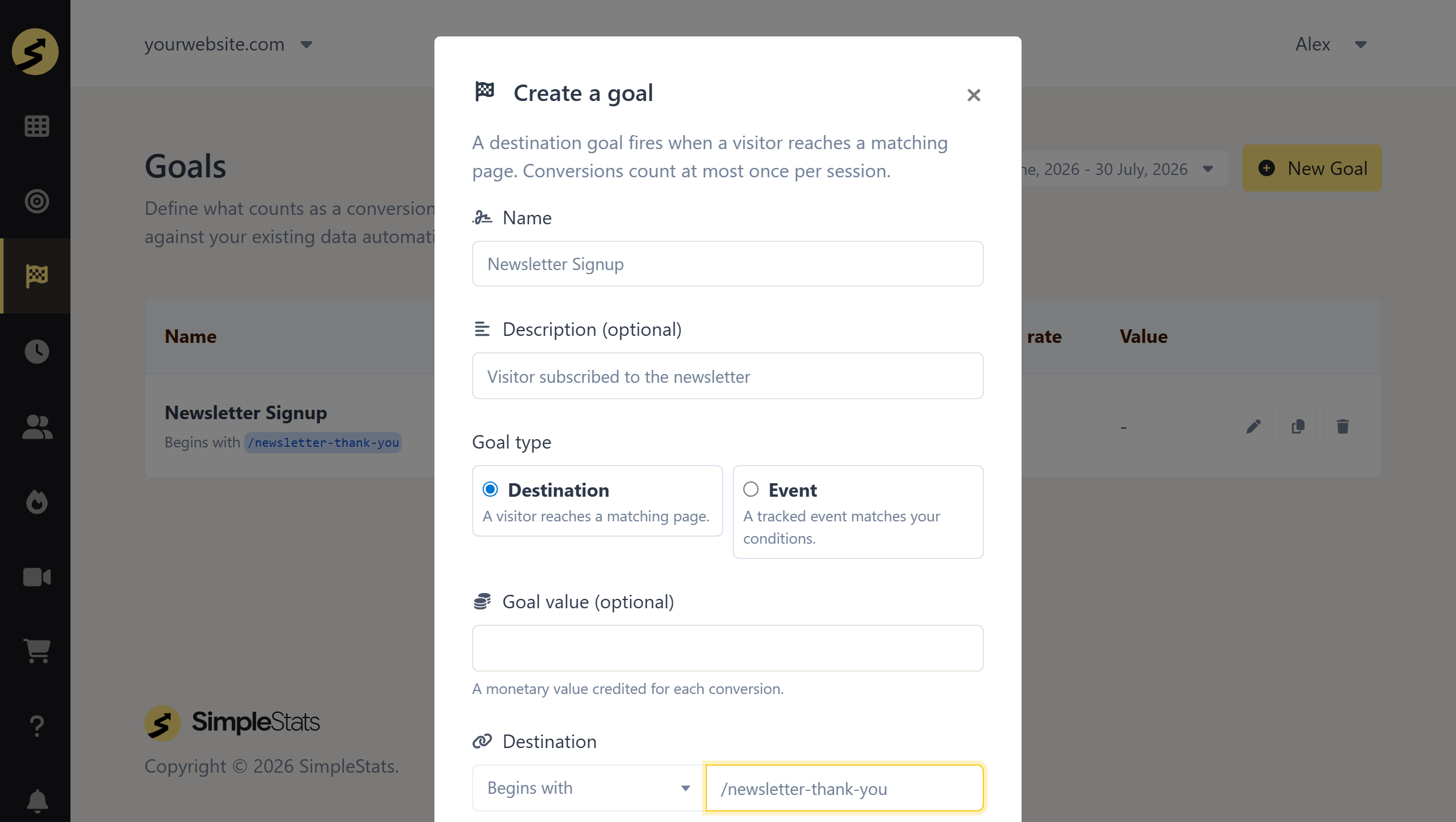
- Open your SimpleStats dashboard and click Goals in the sidebar
- Click New Goal
- Give the goal a name, like “Newsletter Signup” (the description field underneath is optional, skip it if you don’t need it)
- Leave the goal type on Destination, it’s selected by default
- Enter the path that counts as a conversion, with a leading slash, like
/newsletter-thank-you - Click Submit
That’s it. No tracking pixel to install, no event parameters to configure. The next time a visitor lands on that page, it counts toward your goal automatically, and if that page has been live for a while, SimpleStats scores it against your existing pageview data right away, so you’re not starting from zero.
If this goal represents real revenue, like a purchase, you can also set a Goal value while creating it, a dollar amount credited each time someone converts. That way your reports show revenue alongside the conversion count, not just a raw number.
Seeing Where Visitors Drop Off Before They Convert
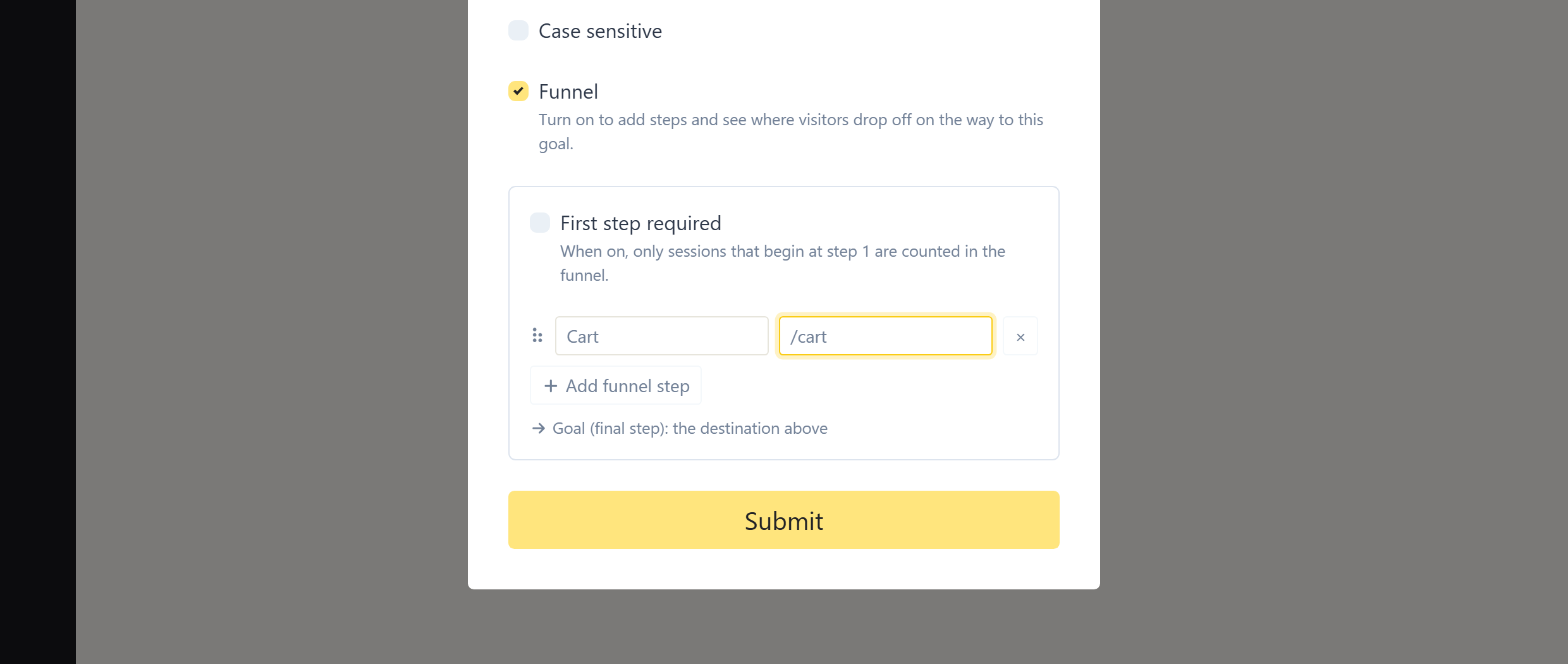
A Destination goal can also turn on a Funnel: ordered steps that lead up to it, like landing page, then pricing page, then checkout. Add the steps and SimpleStats shows you funnel activity for each one, so you can see which step is losing people instead of guessing.
Tracking Actions That Don’t Have Their Own Page
Not every action redirects somewhere new. A popup, an in-page form, or a button that just shows a “thanks” message without changing the URL, none of those work with a Destination goal. That’s what an Event goal is for, and it’s essentially GA3’s old event goals, brought back.
Instead of a URL, an Event goal matches conditions on Category, Action, and an optional Label, the same three pieces GA3 asked for. Here’s how to set one up:
- Click New Goal and choose Event as the goal type
- Name it something clear, like “Download Button Click”
- Fill in the conditions to match, for example Category
Buttonand ActionClick. Leave Label blank to match any label, or set one to isolate a specific button - Click Submit
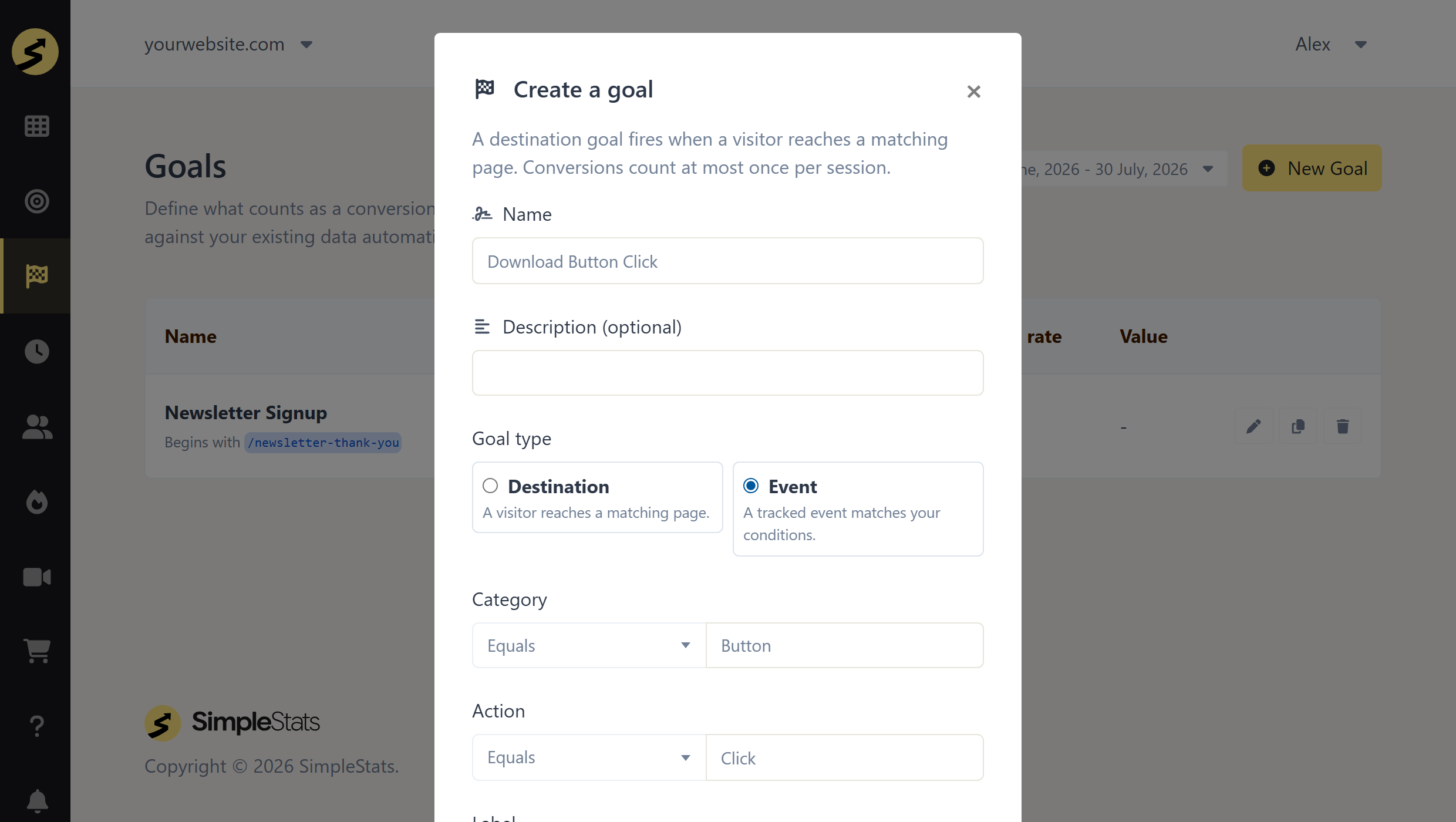
Then add one line of code to whatever you’re tracking: analytics.event('Button', 'Click'). The category and action have to match what your goal is watching for, the label and an optional value are up to you.
It’s more setup than a Destination goal, but it’s the same tradeoff GA3 always had, page-based goals for the easy stuff, event-based goals for everything else. One difference: Event goals only start counting from the moment the snippet goes live, they can’t be scored against past visits the way Destination goals can.
Key Takeaway: A Destination goal is the fastest way to start, name it, point it at a URL, done. Need to track a button click or a form that doesn’t land on its own page? SimpleStats also has an Event goal type for that, it just needs a small code snippet.
Reading Your Goal Data
Once your goal has at least one conversion, SimpleStats shows you the total count and the conversion rate, what percentage of visitors completed it, for any date range you pick. You can compare that rate across traffic sources to see which channel actually brings people who convert, not just people who click.
You can set up as many goals as you want, mixing Destination and Event types freely. A lot of site owners track one goal per meaningful action: one for newsletter signups, one for purchases, one for a contact form, so each gets its own clean number instead of one blended metric.
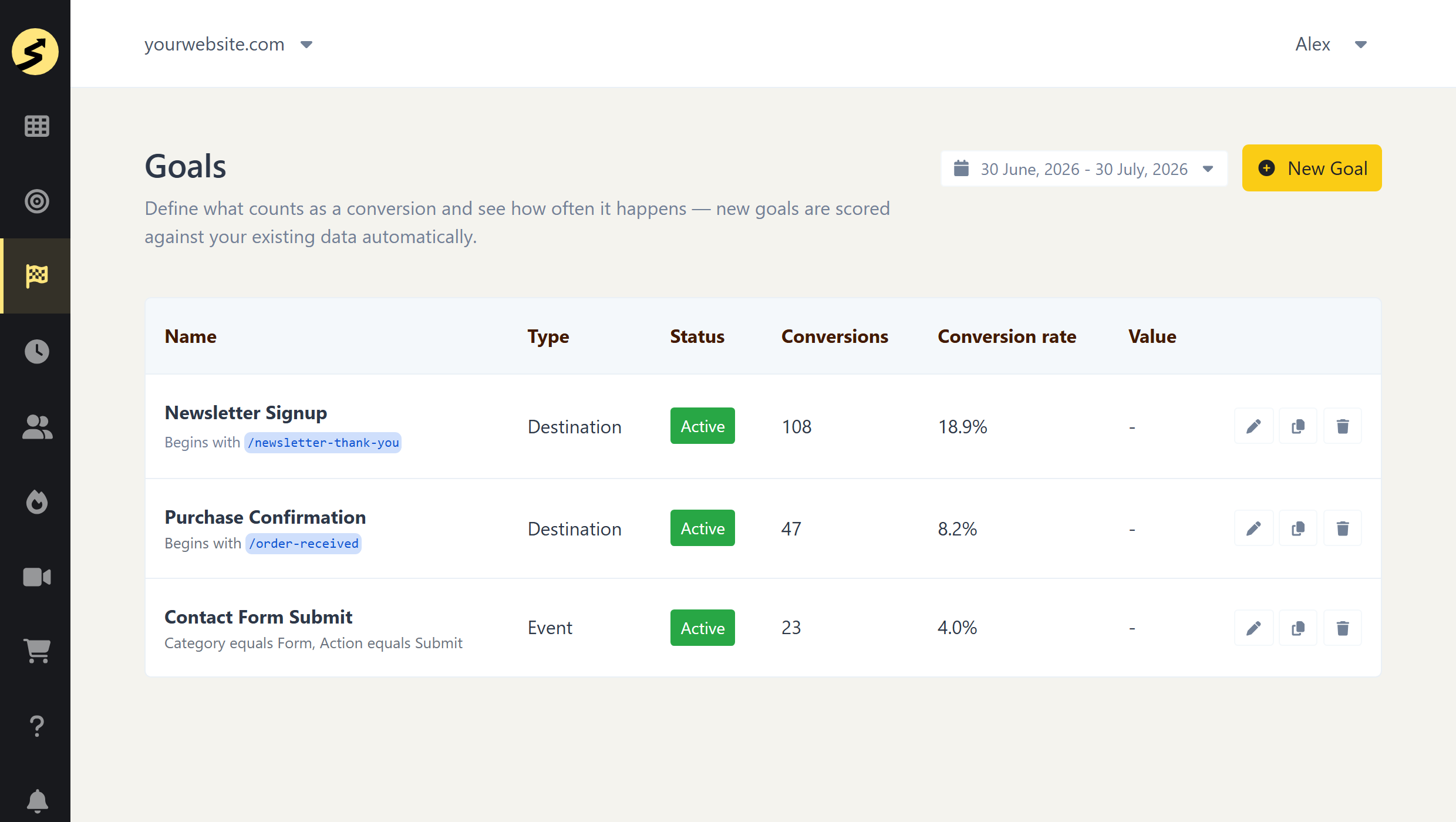
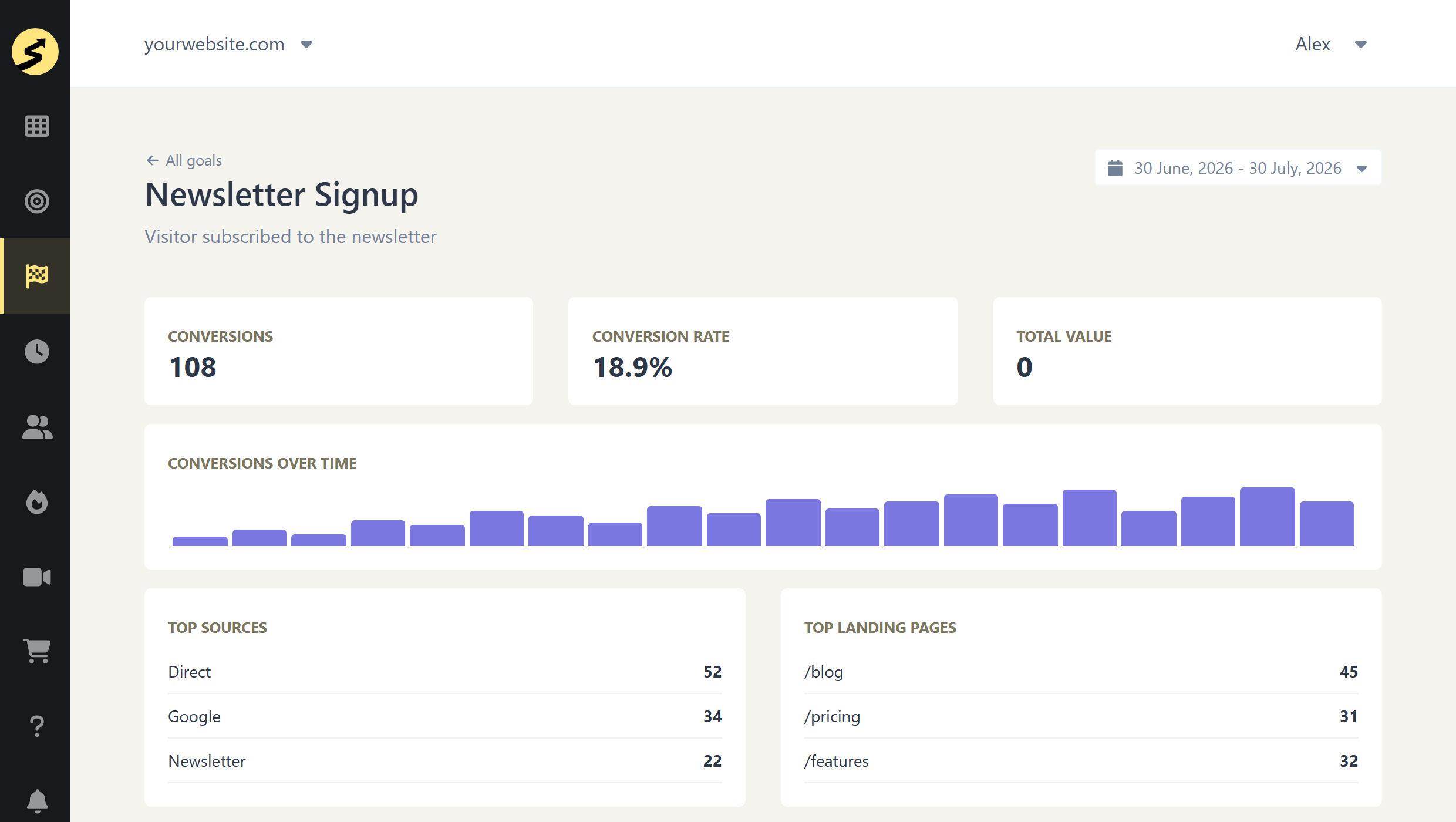
Click into any goal and you get its own dashboard: conversions and conversion rate for the date range you pick, a trend chart so you can spot spikes or drop-offs, and a breakdown of which traffic sources and which landing pages actually produced those conversions.
Try SimpleStats Free
No cookies, no setup headaches, no credit card needed. See your traffic in minutes.
Get SimpleStats Now →Do You Need Cookies for Goal Tracking?
Goals themselves don’t add any new cookies or extra data collection, they piggyback on whichever tracking mode your site already uses. So the answer depends on that mode: with Lightweight tracking, goal completions are counted with no cookies and no consent banner needed, same as your regular pageviews. With Advanced tracking, your site is already using cookies for features like heatmaps, and adding goals doesn’t change that.
Practically, that means if you’re on Lightweight, you can add conversion tracking without touching your cookie banner or privacy policy, there’s nothing new to disclose. If you’re on Advanced, your existing consent setup already covers it.
What Goal Tracking Costs
Goal tracking is included starting on SimpleStats’s Hobby plan ($10/month), along with eCommerce tracking. It’s not part of the free plan, which is meant for testing the dashboard on 500 pageviews a month before you commit. Full plan details are on the pricing page.
Frequently Asked Questions
How do I track conversions in WordPress without Google Tag Manager?
Use an analytics tool with a built-in goal system, like SimpleStats. Name the goal and point it at a page URL, no Tag Manager, no code, no tracking pixel required. For actions that don’t have their own page, like a button click, you can match a tracked event instead, which needs a small snippet.
What’s the easiest type of goal to set up?
A Destination goal. Pick a URL that only exists after someone converts, like a thank-you page, and every visit to that page counts automatically. No code and nothing to configure beyond the URL itself.
Does goal tracking require cookies or a consent banner?
It depends on your tracking mode, not on goals themselves. On Lightweight tracking, no. Goal completions are counted as anonymous events with no cookies involved. On Advanced tracking, your site already uses cookies for features like heatmaps, and adding goals doesn’t change that.
How many goals can I track at once?
As many as you need. Most site owners set up a separate goal for each meaningful action, signups, purchases, downloads, so each one gets its own conversion rate instead of one mixed number.
Is goal tracking available on SimpleStats’s free plan?
No, goal tracking starts on the Hobby plan ($10/month). The free plan is meant for testing the dashboard on a smaller site before you commit to a paid plan.
Recommended Reading
Try SimpleStats Free
No cookies, no setup headaches, no credit card needed. See your traffic in minutes.
Get SimpleStats Now →Conversion tracking doesn’t need to be a project. Point a goal at the right URL, and you’ll know within a day whether your site is actually working, not just getting visits.